Multi-Tech ISIHI-2S Specifiche Pagina 3

  • Scaricare
  • Aggiungi ai miei manuali
  • Stampa
Vedere la pagina 2
Contents
Introduction
Welcome to Multi-Techs new MultiModem Hybrid Series, model ISIHI-2S/2U, ........................................... 6
Modem Description/Features ............................................................................................................................ 8
Terminal Adapter Description/Features............................................................................................................. 9
Manual Organization ....................................................................................................................................... 10
Technical Specifications .................................................................................................................................. 12
Physical / Electrical / Environmental ......................................................................................................... 12
Hardware Installation
Introduction ..................................................................................................................................................... 16
Computer Requirements ............................................................................................................................. 16
Shipping Contents....................................................................................................................................... 16
Safety Warnings .......................................................................................................................................... 16
Before You Start .............................................................................................................................................. 17
Determine Current System Settings............................................................................................................ 17
Recommended Base I/O Address and IRQ Values .....................................................................................17
Installing the ISIHI-2S/2U ............................................................................................................................... 18
LED Indicators ................................................................................................................................................ 20
Software/Driver Installation
Introduction ..................................................................................................................................................... 24
Installing ISIHI-2S/2U Drivers in Windows NT ............................................................................................. 25
Installing Terminal Adapters and Modems to COM Ports in Windows NT ............................................... 27
Removing the Driver .................................................................................................................................. 32
Installing ISIHI-2S/2U Drivers in Windows 95 .............................................................................................. 33
Installing Terminal Adapters and Modems to COM Ports in Windows 95 ................................................ 41
Removing the Driver .................................................................................................................................. 46
Configuring the Terminal Adapter ................................................................................................................... 47
Introduction................................................................................................................................................. 47
North American Users .......................................................................................................................... 47
International Users ............................................................................................................................... 47
Optional Settings .................................................................................................................................. 48
ISDN TA Configuration Utility .................................................................................................................. 49
ConfigMenu Configuration Utility ............................................................................................................. 53
AT Commands ............................................................................................................................................ 54
NetWare Connect (Novell) Driver Installation................................................................................................ 55
Configuring Ports for NetWare Connect .................................................................................................... 56
Removing the Driver (Novell) .................................................................................................................... 56
SCO Open Server 5 Driver Installation ........................................................................................................... 57
The Multi-Tech Installation Script ............................................................................................................. 58
Activating Ports in SCO Open Server 5 ..................................................................................................... 60
Removing the Driver (SCO Open Server 5) ............................................................................................... 60
Multi_Setup Utility ..................................................................................................................................... 61
Administration Utility................................................................................................................................. 64
Linux Driver Installation ................................................................................................................................. 65
Miscellaneous: ............................................................................................................................................ 66
MODEM AT Commands, S-Registers, and Result Codes
Modem AT Commands .................................................................................................................................... 68
Modem S-Registers ......................................................................................................................................... 83
Modem Result Codes....................................................................................................................................... 89
Vedere la pagina 2
1 2 3 4 5 6 7 8 ... 187 188

Commenti su questo manuale

Nessun commento

DeLOCK 84366 manuals

Owner’s manuals and user’s guides for Firewire cables DeLOCK 84366.
We providing 1 pdf manuals DeLOCK 84366 for download free by document types: Datasheet
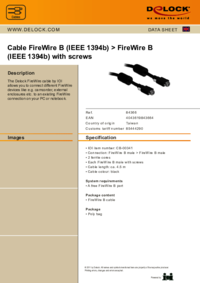

Delock 84366 Datasheet (1 pages)


Brand: Delock | Category: Firewire cables | Size: 0.18 MB |


Table of contents


More products and manuals for Firewire cables DeLOCK

Models Document Type
82576 Datasheet   DeLOCK FireWire A/A, 1.0m, 1 pages
82596 Datasheet   DeLOCK FireWire A/B, 2.0m, 1 pages
82575 Datasheet   DeLOCK FireWire A/A, 3.0m, 1 pages
82577 Datasheet   DeLOCK FireWire A/A, 2.0m, 1 pages
82589 Datasheet   DeLOCK FireWire A/B, 2.0m, 1 pages
82574 Datasheet   DeLOCK FireWire A/A, 2.0m, 1 pages
82597 Datasheet   DeLOCK FireWire A/B, 3.0m, 1 pages
82570 Datasheet   DeLOCK FireWire A/A, 1.0m, 1 pages
82594 Datasheet   DeLOCK FireWire A/B, 3.0m, 1 pages
82598 Datasheet   DeLOCK FireWire B/B, 1.0m, 1 pages
82573 Datasheet   DeLOCK FireWire A/A, 1.0m, 1 pages
82600 Datasheet   DeLOCK FireWire B/B, 3.0m, 1 pages
82012 Datasheet   DeLOCK FireWire cable 1.8m 6p/4p, 1 pages
82571 Datasheet   DeLOCK FireWire, 2.0m, 1 pages
82572 Datasheet   DeLOCK FireWire A/A, 3.0m, 1 pages
82578 Datasheet   DeLOCK FireWire A/A 3.0m, 1 pages
82595 Datasheet   DeLOCK FireWire B/A, 1m, 1 pages